One page.The daily ones up front.
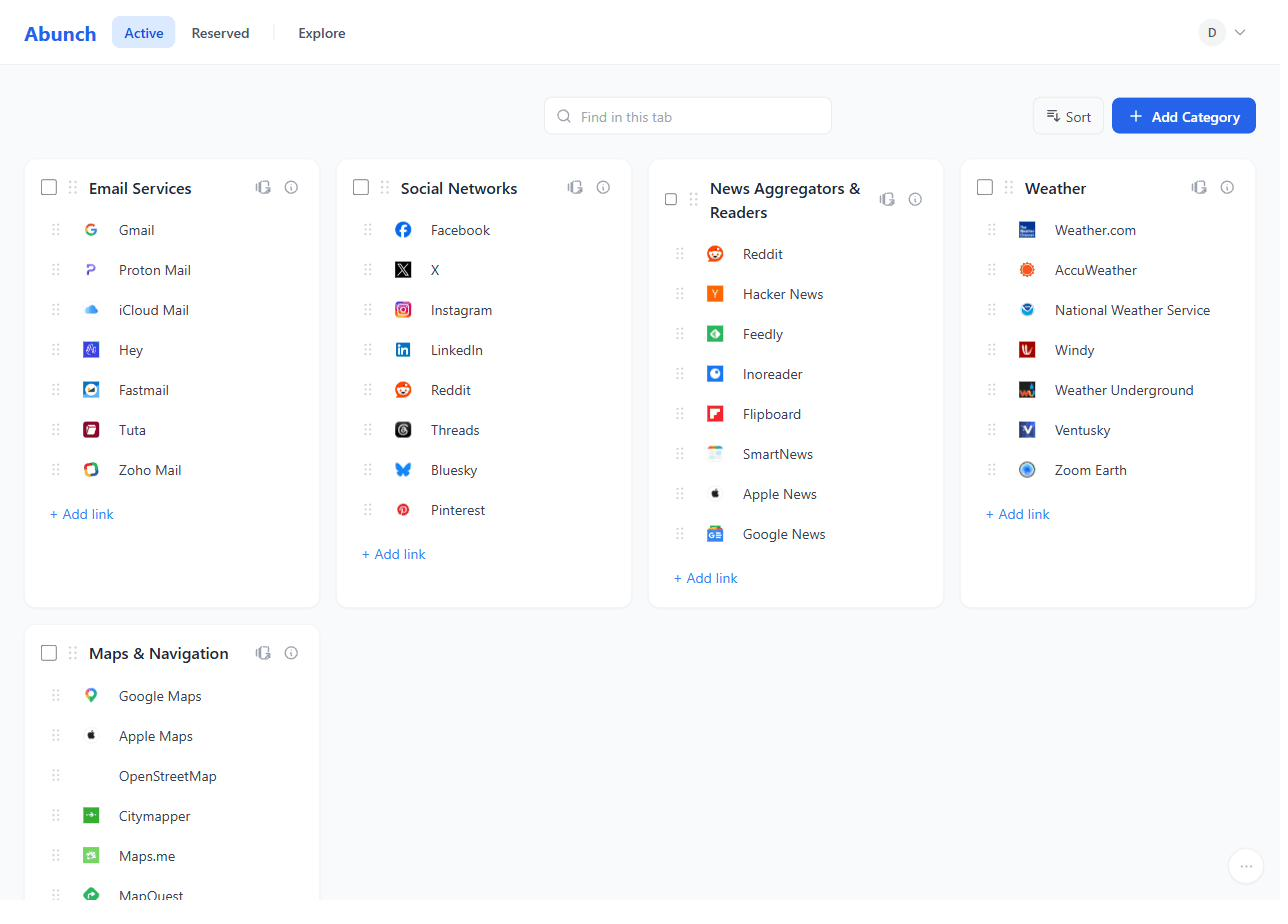
This is a real board, not a picture of one. Click anything — it opens.
Daily and Occasional appear in the app as Active and Reserved.
What do you actually need today?
Active
Mail & Calendar


Work


Reserved Standard


Job hunt


Learning


Reserved
Some sites are only urgent for three weeks.
House hunting. A job search. A course you're halfway through. You open them five times a day, then not once for a year. Deleting them is a mistake you only make twice — and leaving them next to your inbox adds noise to every single morning.
So there are two desktops. Active is what you reach for today. Reserved is everything you'll want back later, one click away instead of in the way.
What happens to what you don't use
Nothing. You decide what moves to the second desktop, and after that it stays where you put it — not tucked away on a schedule you didn't set, not closed on your behalf.
Extension
A page you have to remember to open isn't a homepage.
Setting a start page by hand means digging through browser settings — the kind of thing you mean to do later and never do. So there's a Chrome extension that does one thing: it makes your board the page Chrome opens. Install it once, and it's there every morning without you thinking about it.

What it asks for
- - No site permissions — it doesn't read or change data on the sites you visit.
- - It changes one thing: the page your browser opens on startup.
- - No new tab override, no search override, no home button override.
- - Rather not install it? The site walks you through setting a start page in your own browser.
Starter packs & Explore
Nobody wants to fill an empty page.
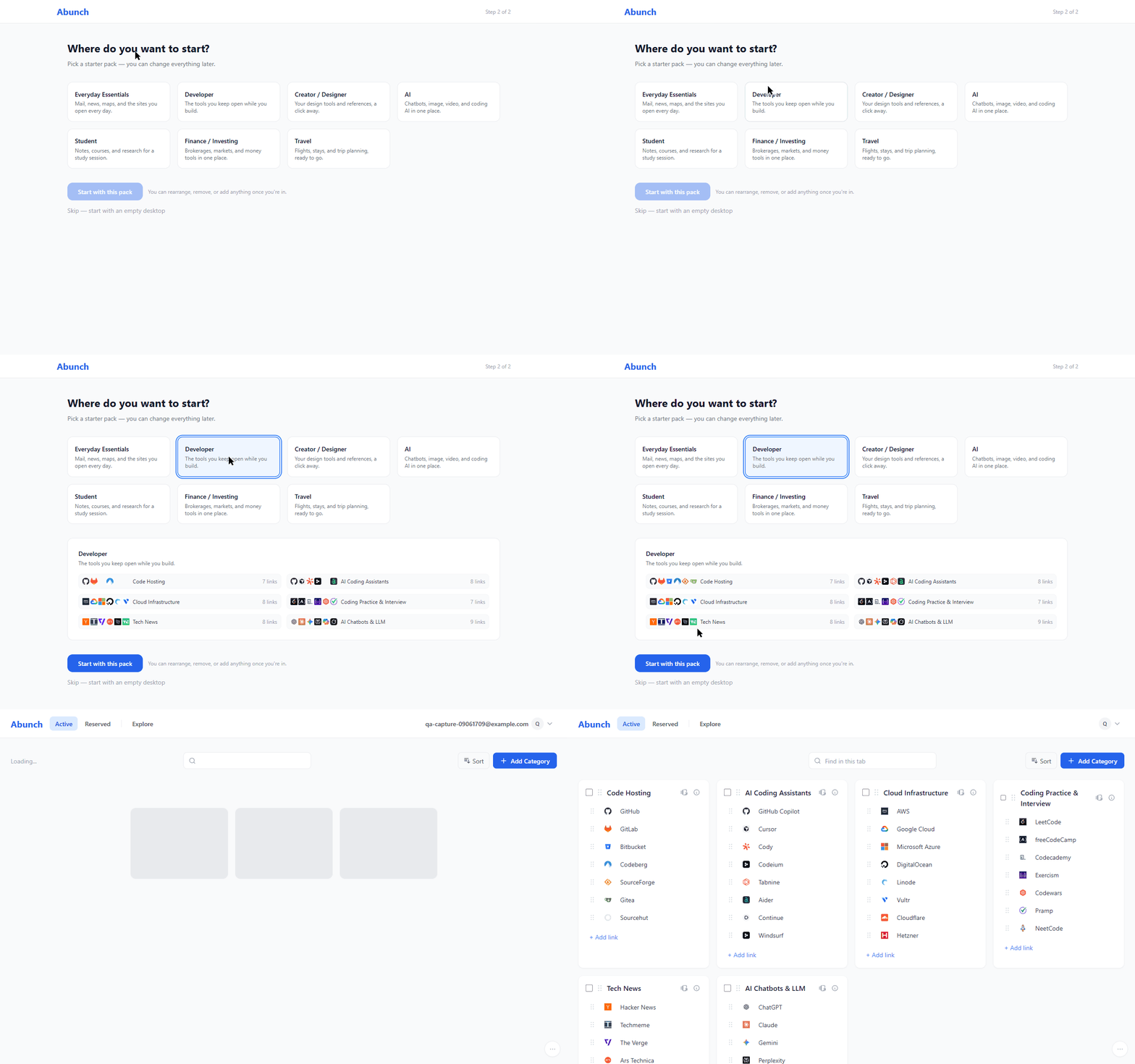
The hardest part of a personal homepage is the first ten minutes. So you don't start from nothing: pick a starter pack and your board arrives already built, then edit it into your own.
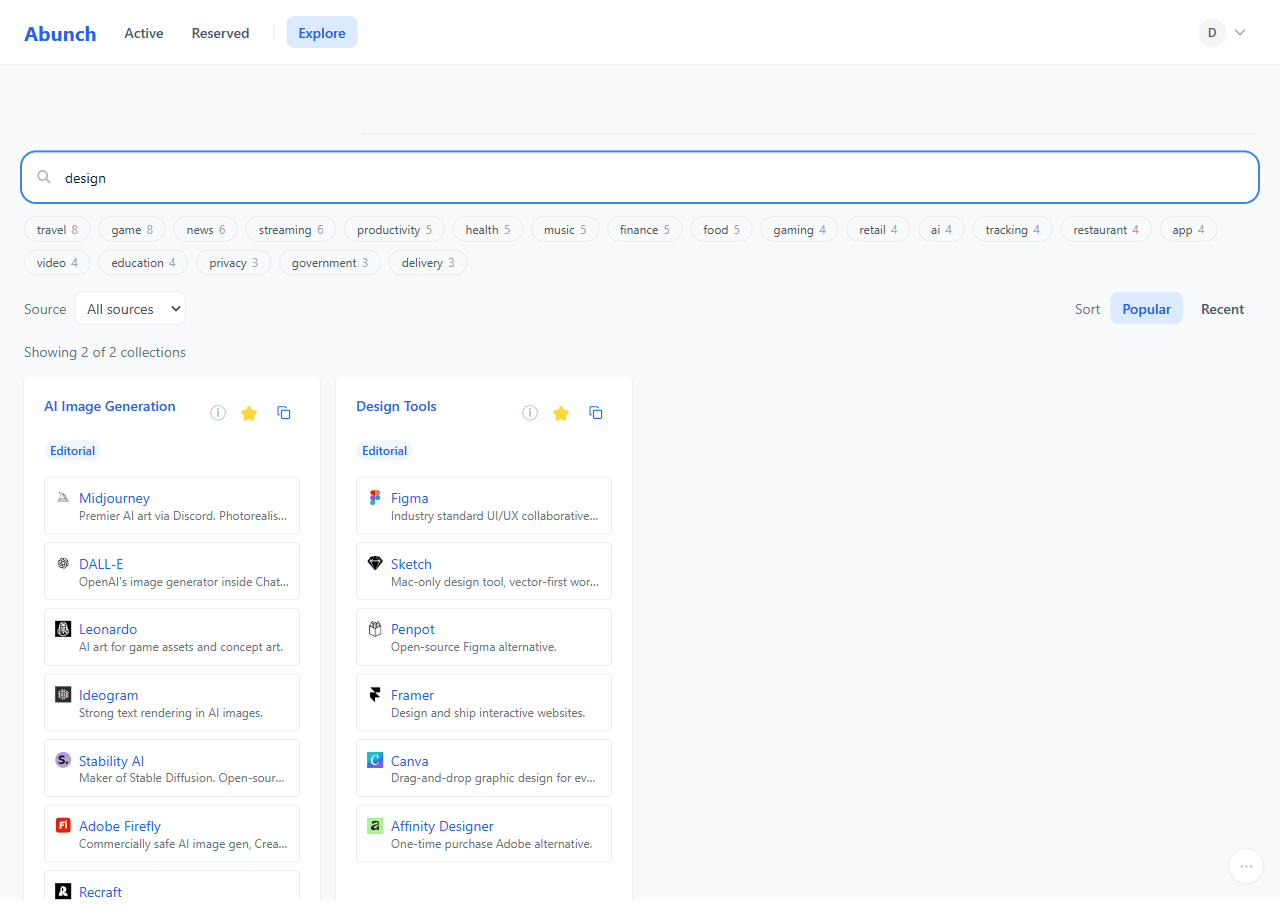
Past that, Explore holds dozens of collections we put together by hand — design, development, AI tools, and more — grouped by topic. Copy a whole collection into your board in one click.
Editing
A starter pack is a starting point, not a template.
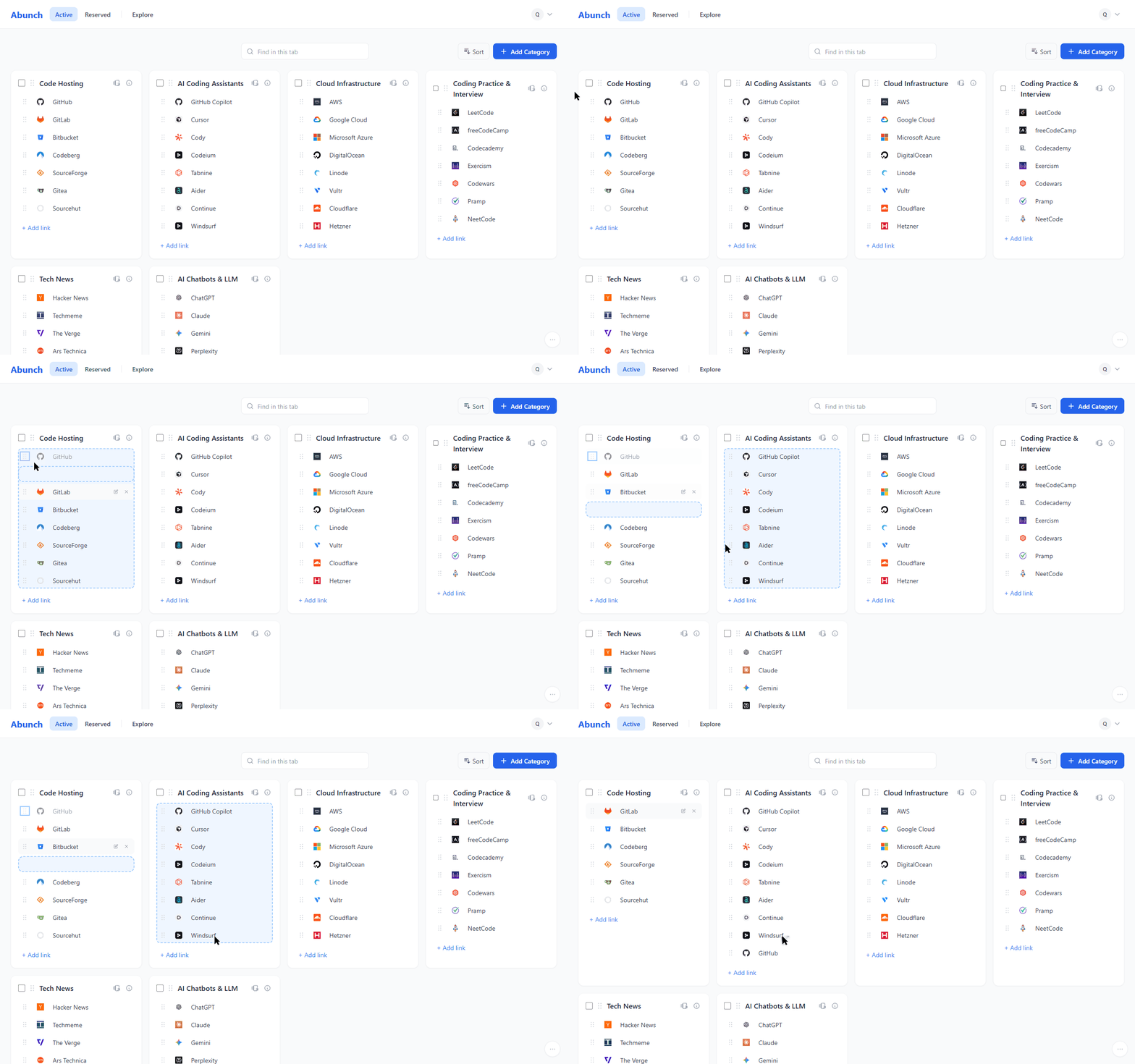
Grab a link by its handle and drop it into another category. Drag whole categories to reorder them, including to the very end. Drop the first link straight into a category you just made. It works the same way on a touch screen.
Small things you'd otherwise do by hand
- - Paste an address without http:// and it gets fixed for you.
- - Adding a link pulls in the site's own description, so there's nothing to type.
- - Switch link spacing between comfortable and compact once the board fills up.
In bulk
Twenty links at once, not twenty times in a row.
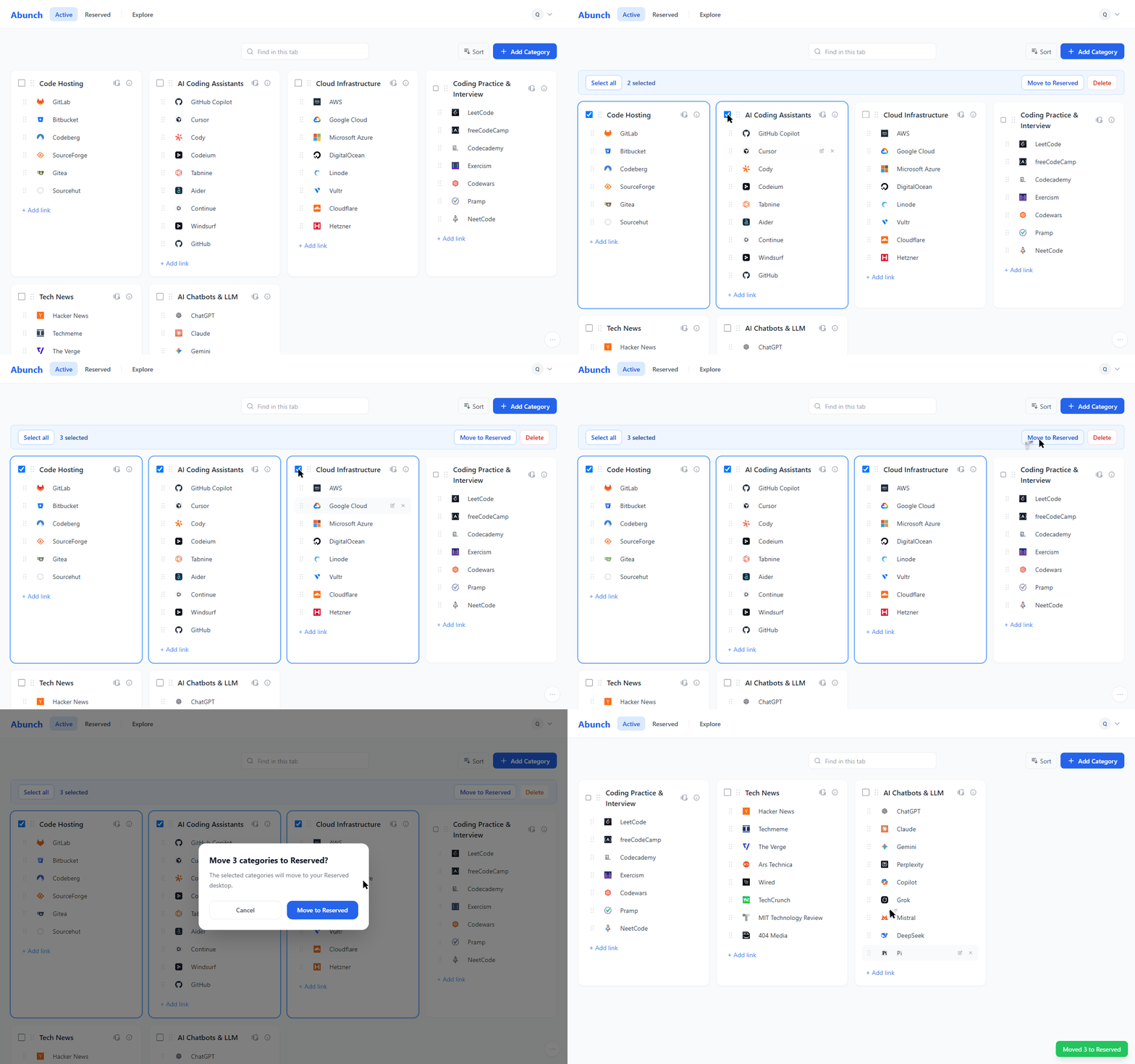
Tick a category — or several — and move or delete the whole lot in one action. Reorganising a board you copied in takes a minute instead of an afternoon.
Selection stays inside the desktop you're looking at, so you never move something you can't see. Moving a batch into Reserved is part of Standard.
Import
Bring over the ones you actually use.
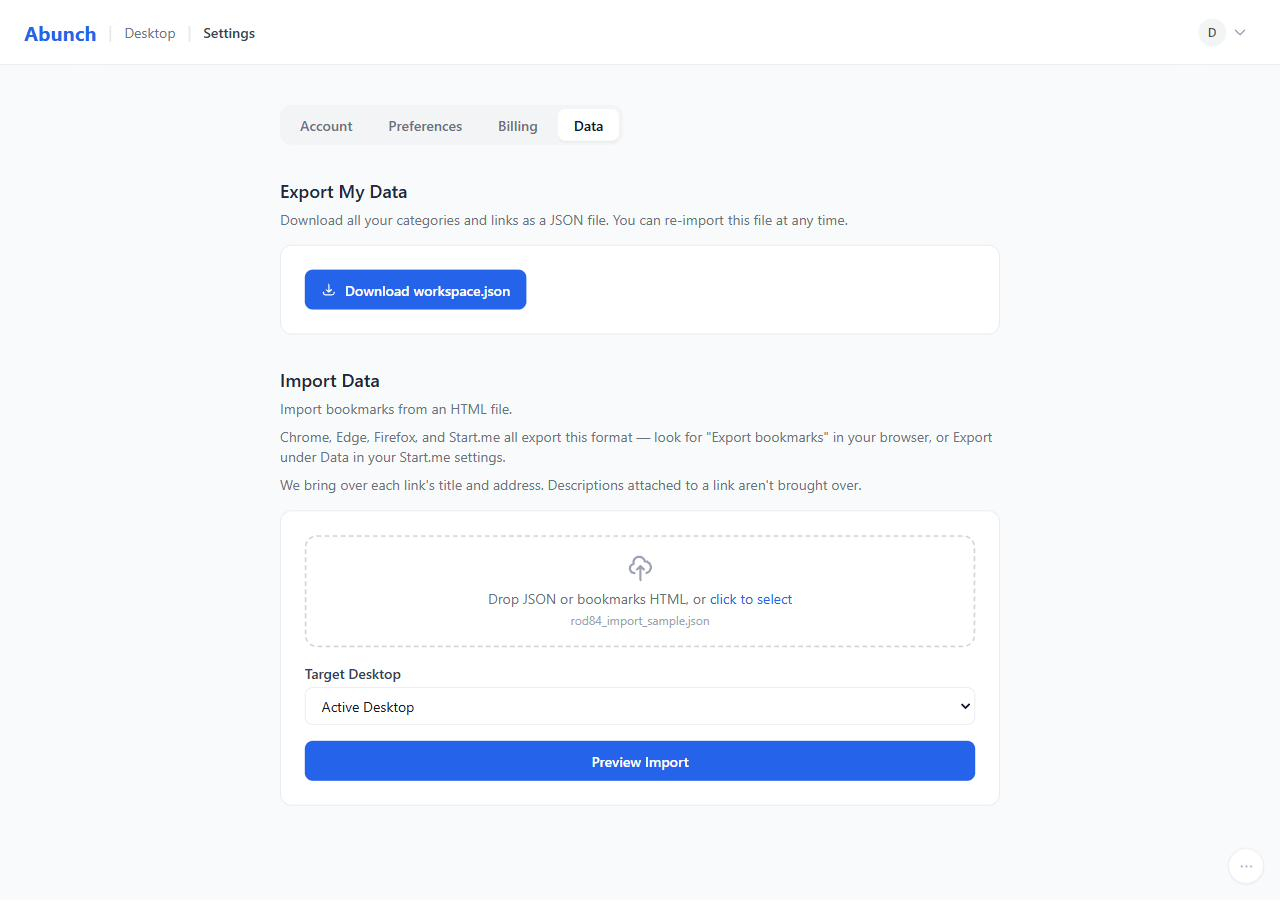
Export your bookmarks from your browser and drop the file in. Pick the folders that matter and leave the rest where they are — this is a launch page, not a second place to store everything.
What to expect
- - Folders become categories. Bookmarks that sat outside any folder land in Unsorted, so nothing goes missing.
- - Three kinds of entries are skipped, and the import tells you which: browser-internal addresses, RSS feeds, and empty addresses.
- - If a file would put you over your limit, the import pauses instead of cutting it short — you deselect a folder and continue.
Find
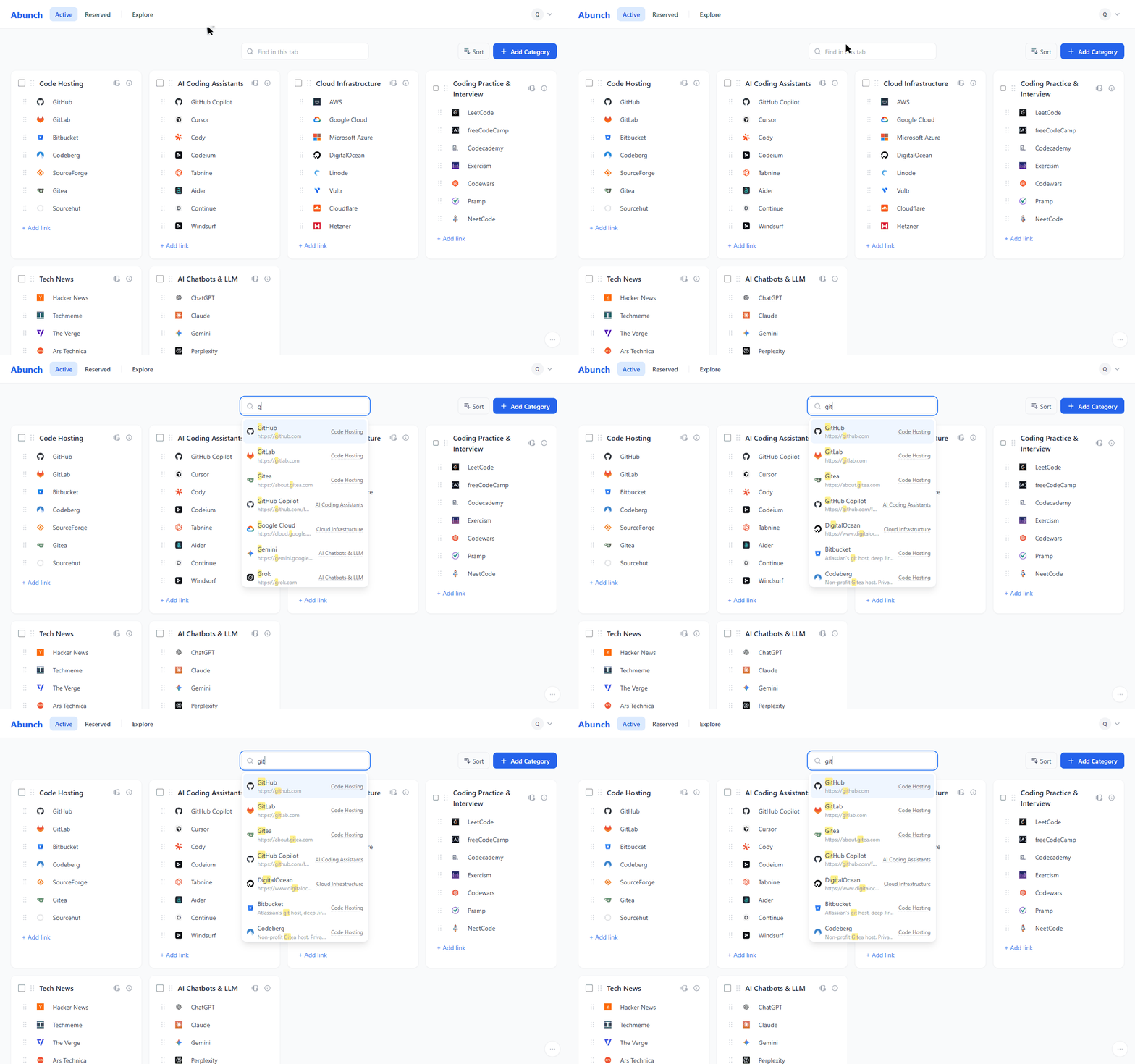
Thirty categories is fine if you never have to scan them.
Start typing and the matches come to you in a list under the box. On a board this size, that is the difference between finding something and going looking for it.
Plans
Standard adds the second desktop, a much larger capacity, and room to publish more public collections.
That's the whole difference. Importing, exporting, the extension, and opening a category at once are on the free plan too.
Questions
The things people ask first.
- How many shortcuts can Chrome's new tab page hold?
- Around ten, and they're chosen for you based on what you visit most. That works if you live in ten sites. If you open thirty or forty in a normal week, you end up remembering the rest — which is the problem this page exists to solve.
- Do I need the extension?
- No. You can set the board as your browser's start page by hand, or just bookmark it. The extension only removes the step where you forget to.
- Can I open a whole category at once?
- Yes — each category has a button that opens its links in new tabs. It's on the free plan, and it asks for confirmation before opening a large batch.
- Is there a weather widget, a feed reader, or notes?
- No. This is a page for getting to the sites you use, and every widget on it would be one more thing between you and them.
- Can I try it without an account?
- Yes. You can build a board without an account — it's temporary and stays in this browser. When you sign up, it comes with you as it was.
Your browser already opens something. Make it this.
Free to start. Pick a pack, drop in the sites you actually use, and see what tomorrow morning feels like.